ShipaAI
Project overview
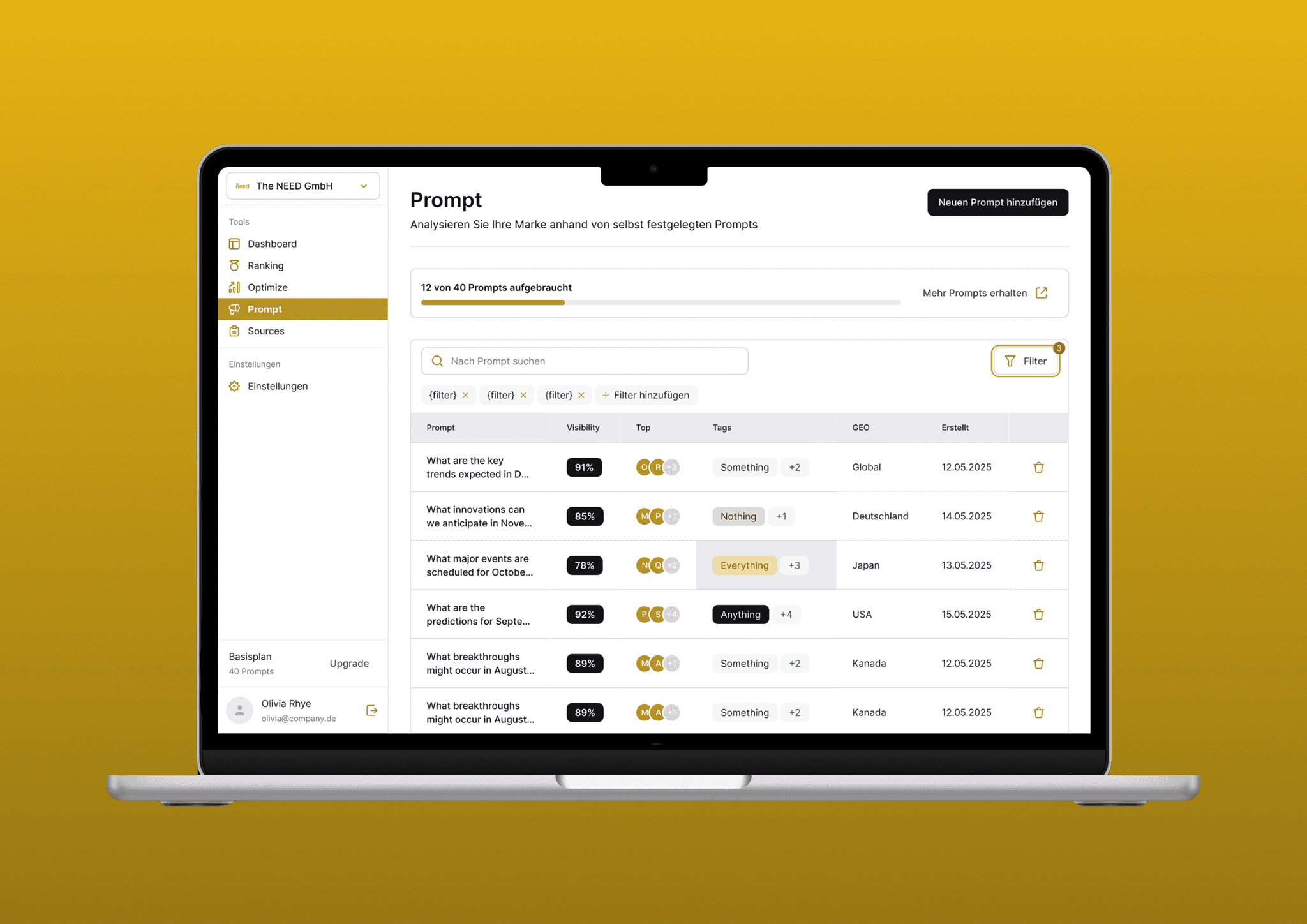
ShipaAI is a software developed by The NEED GmbH that enables other companies to monitor and optimize their AEO (Answer Engine Optimization) score.
As part of my last project at The NEED as a working student, I had the pleasure of turning the concept into a first draft before it goes through further iterations.
Role
UX/UI Designer
UX/UI Design, Interaction Design
Background
In light of AI and AI agents, The NEED GmbH found a way to train AI tools to let a company appear after a certain prompt. That is why the agency decided to develop a new tool for companies to track and optimize their AEO (Answer Engine Optimization) score – the new frontier of SEO.
To kick-start this project, the agency needed a user interface that was to be developed from scratch. The aim was to create a simple, neat, yet professional design, with all functions and necessary information communicated by the agency. And that's where I came into play, a key achievement of which I have listed below.
Developed the first version. With the first version of the concept, I built a solid foundation to take further steps and fill out specific information or iterate the functions of this application.
Understanding the problem
Since no comprehensive research phase was planned, I had to rely primarily on the agency's notes and contextual information to develop an initial understanding of the problem. In addition, I conducted my own brainstorming session to identify potential challenges, user needs, and application scenarios.
Because the aim is to support companies in monitoring and optimizing their AEO score, the application must, on the one hand, provide transparency about the current score and, on the other hand, give specific advice on how it can be improved.
In this early phase, it was particularly important to consider the problem not only from a functional perspective, but also from the user's perspective:
What information do companies need at first glance?
How can the scores be visualized in an understandable way?
How can the tool motivate users to actively make optimizations?
Product vision and solution
The vision behind the product is to provide companies with a user-friendly tool that allows them to transparently monitor and optimize their AEO score at any time. Instead of having to manually evaluate complex data, the tool aims to provide clarity and identify specific courses of action through an intuitive user interface.
In order to classify the solution in the market environment, a brief search for similar tools was conducted. This revealed that existing solutions are often complex, not very user-friendly and heavily data-driven – which is a hurdle, especially for non-technical users. This finding underscores the need for an interface that places greater emphasis on user-friendliness and action orientation.
The solution approach is to develop an initial UI that combines the following core aspects:
Transparency. The current score is presented visually so that companies can see their status at a glance.
Orientation. The system provides tips and recommendations on what steps can be taken to improve the score.
Interactivity. Prompts allow companies to initiate specific analyses or receive optimization suggestions.
User-centered design. The interface is designed in such a way that even complex relationships remain easy to understand and can be used without extensive training.
Designs
As my time as a working student was coming to an end, I prepared a set of initial drafts to be handed over for further refinement by the team.
Organizing the designs
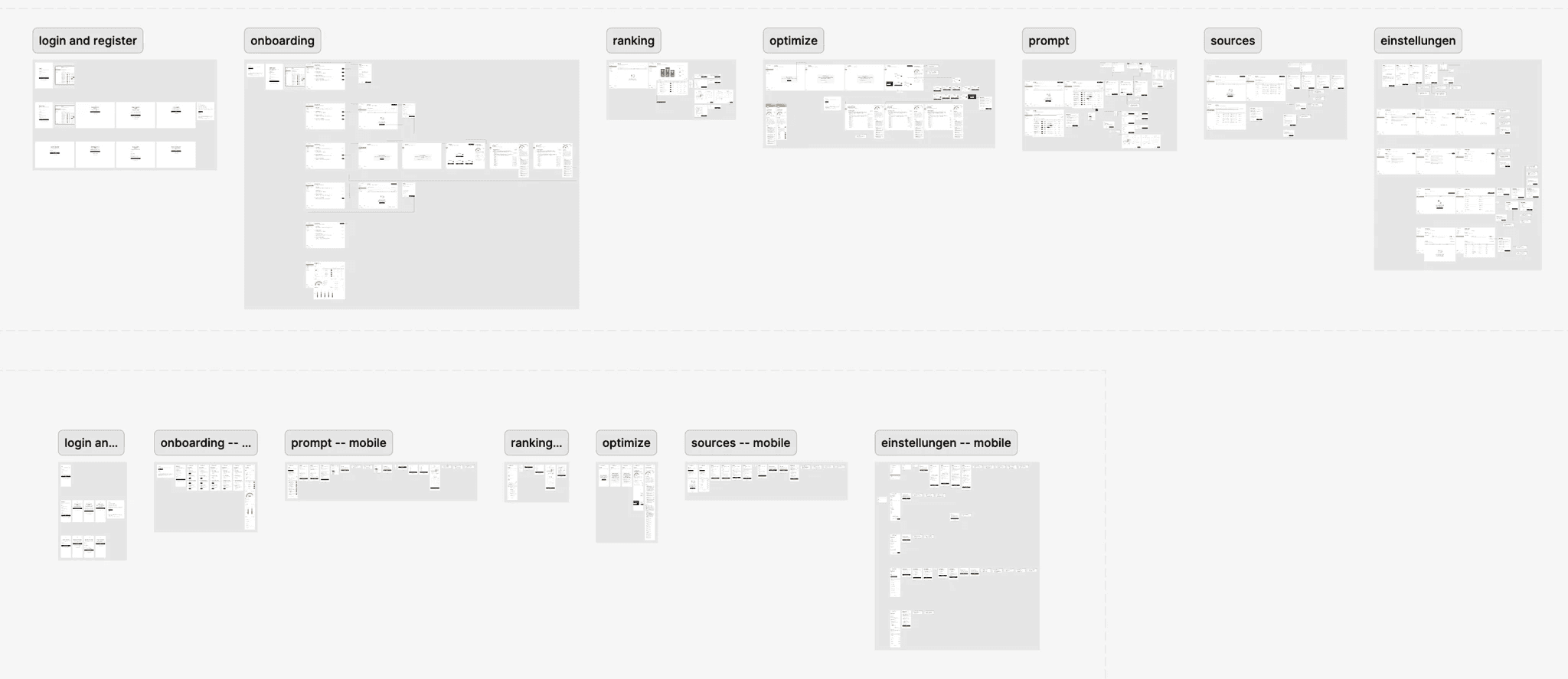
To maintain an overview of which screens were designed for the desktop and mobile breakpoints,
I divided them into two sections. I also grouped the screens based on the application's functionality.
Login and register
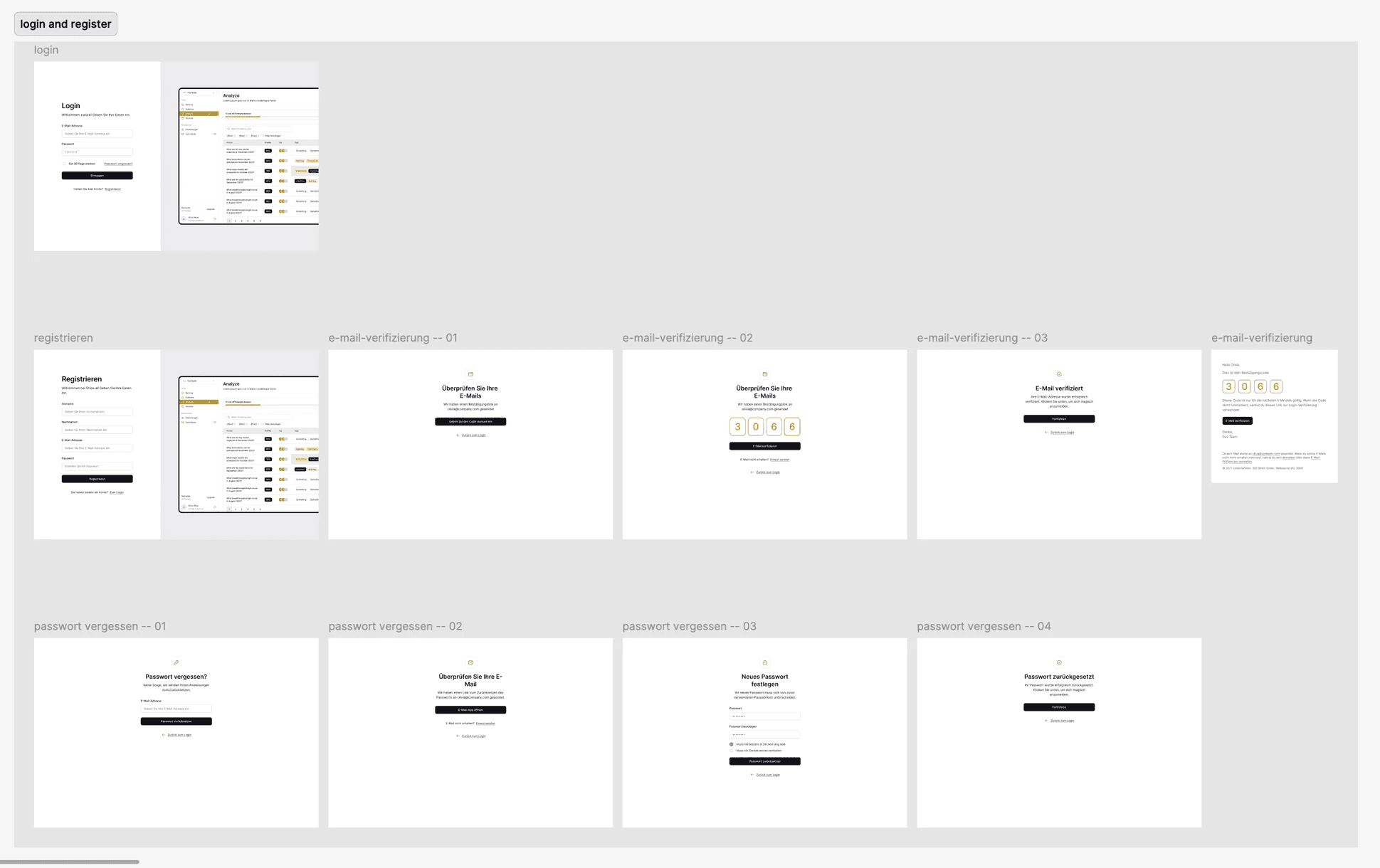
Since almost every application requires users to create an account, I quickly visualized this process and its individual steps here.

Onboarding
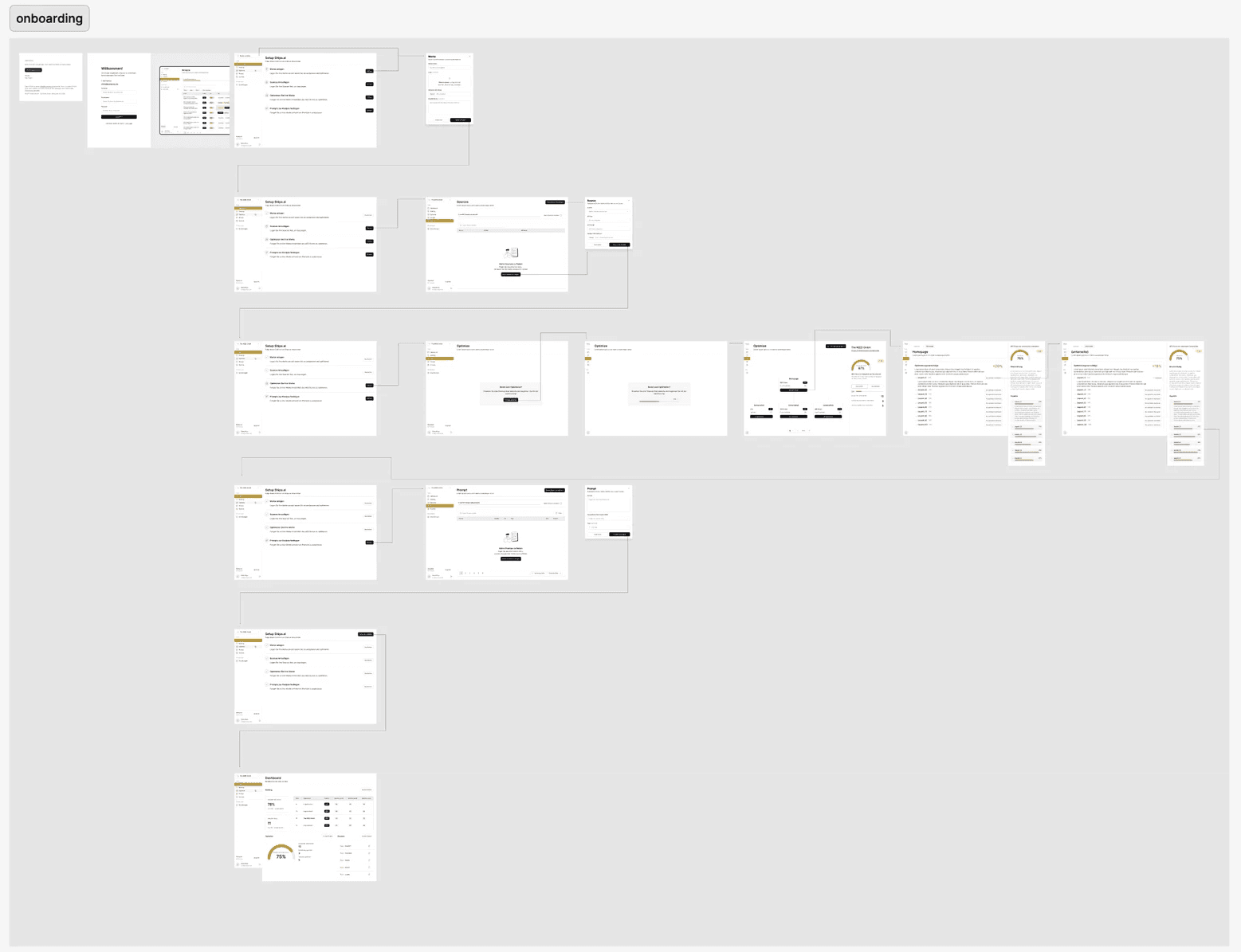
When using for the first time, users go through an onboarding process designed to introduce the core features and ensure a smooth start to their experience.

Ranking
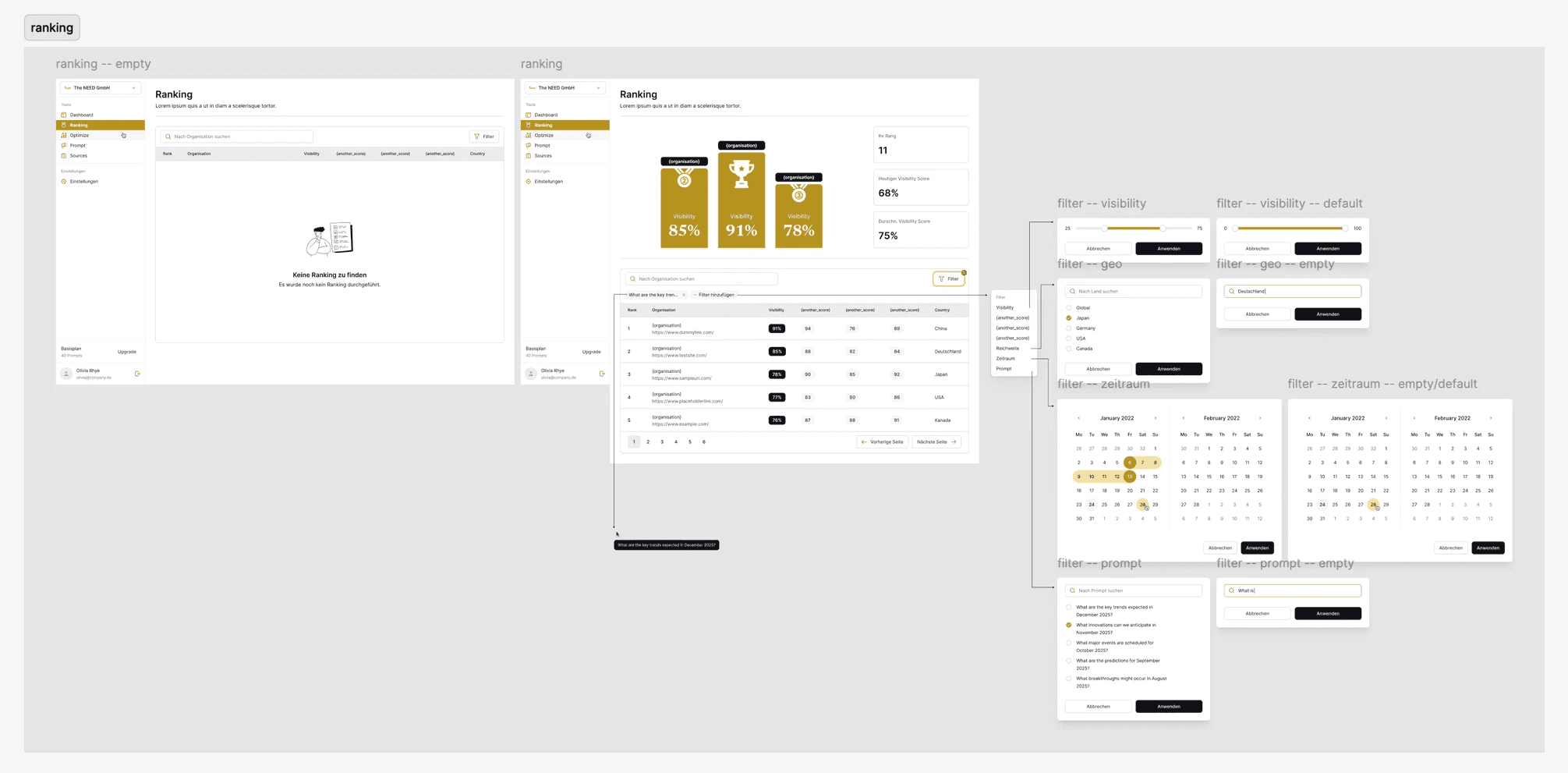
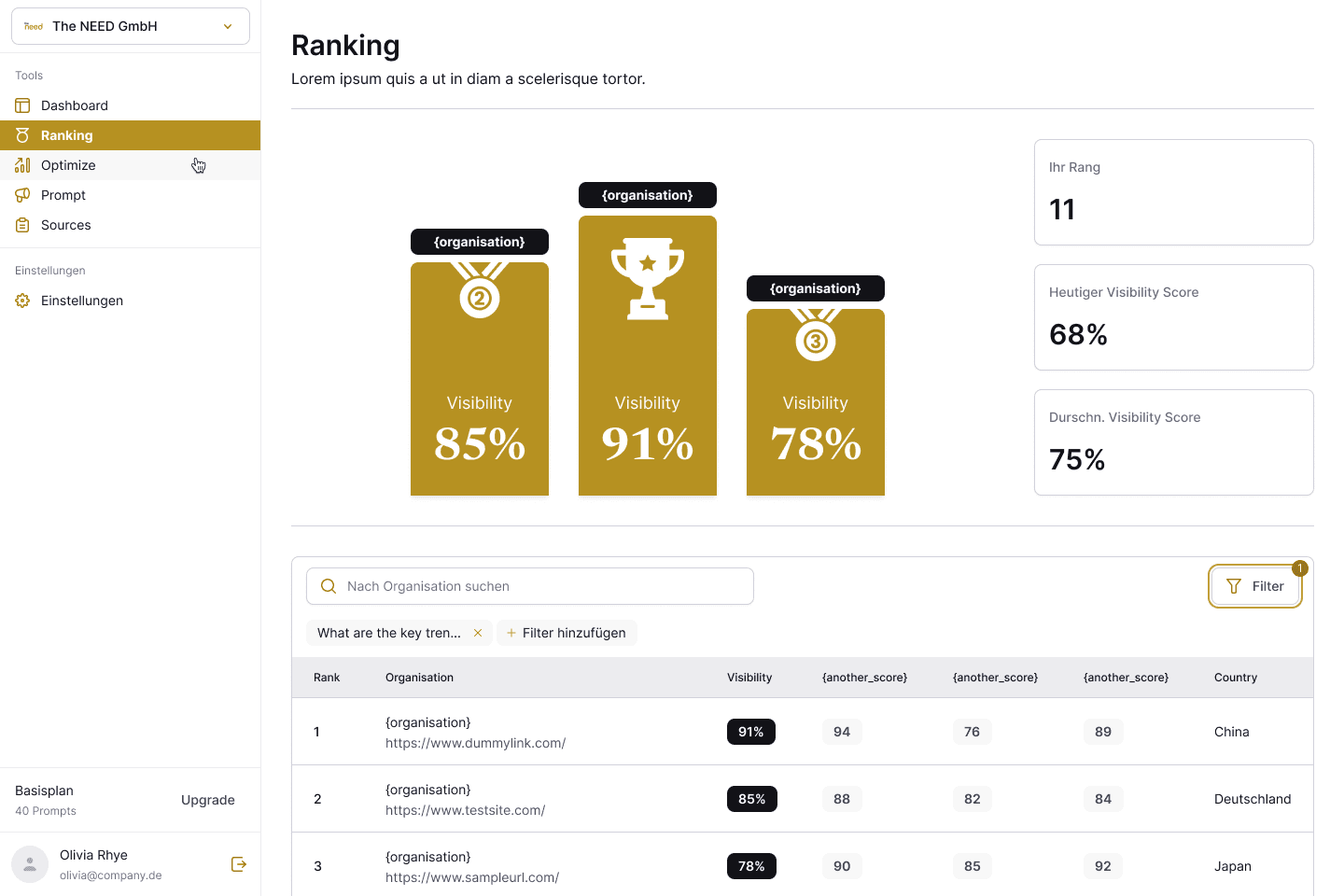
With the "Ranking" feature, users can view how their company’s visibility compares to that of other companies, providing a quick overview of their competitive position.
Optimize
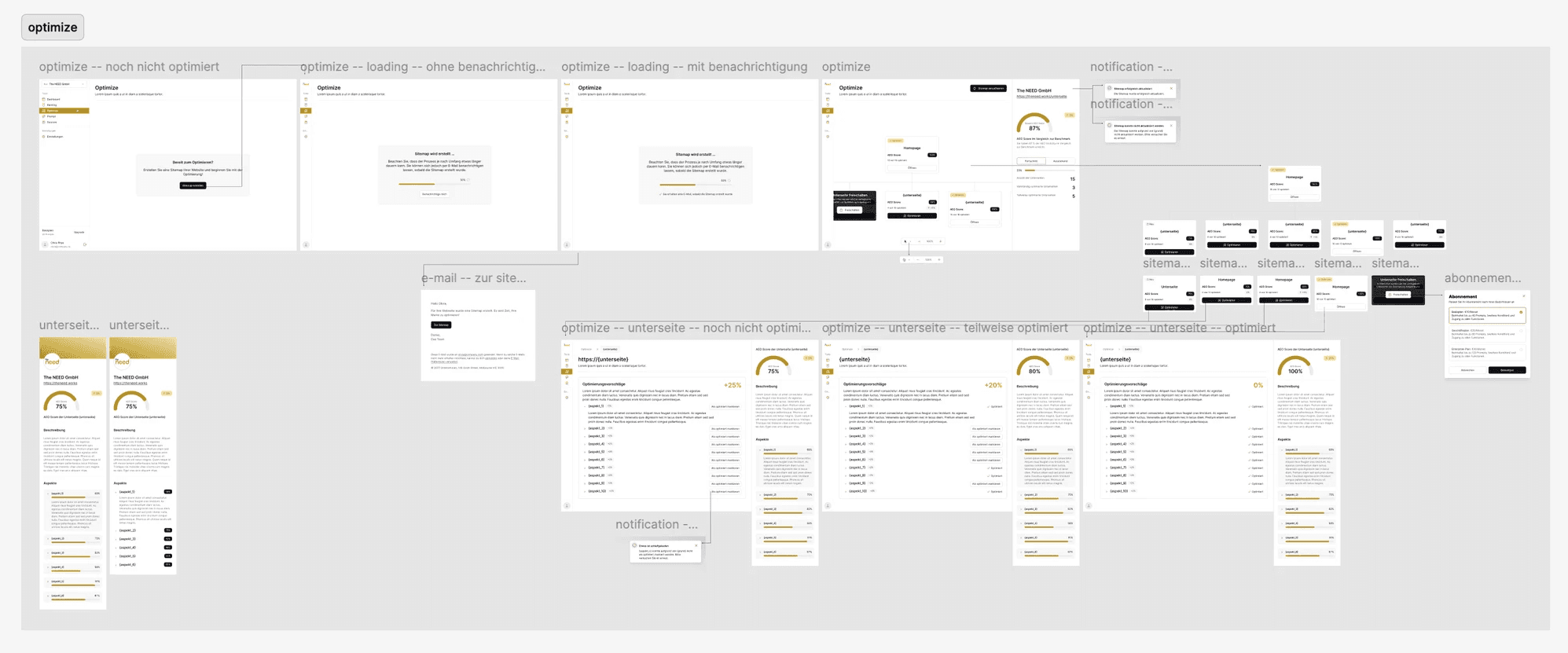
The “Optimize” feature allows users to view their company’s website, including all subpages, on a movable canvas visualized as a sitemap.
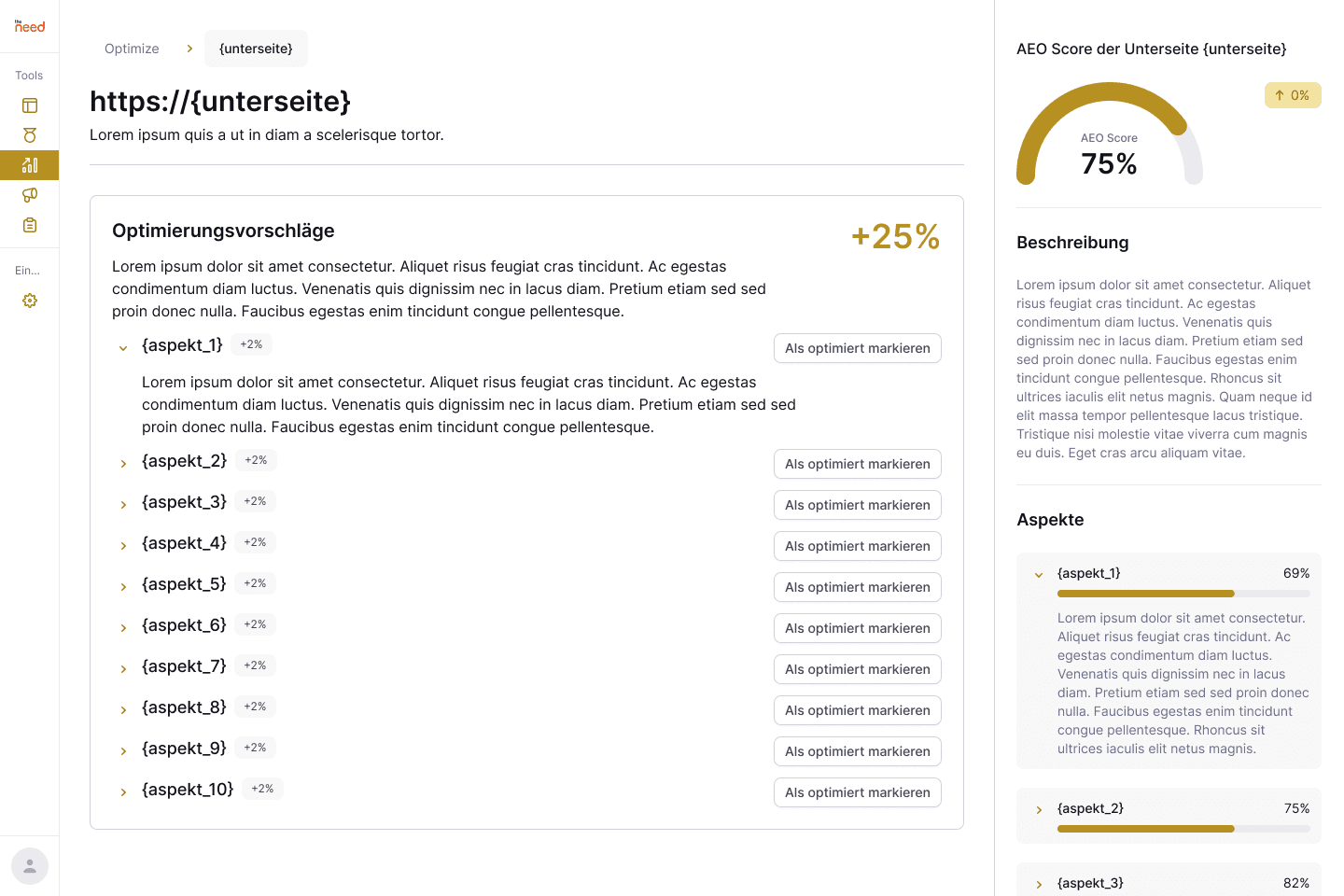
From this overview, users can see the current score of each subpage and identify areas that need improvement. By clicking on a subpage, they can access detailed information and take specific actions to optimize it.

Prompt
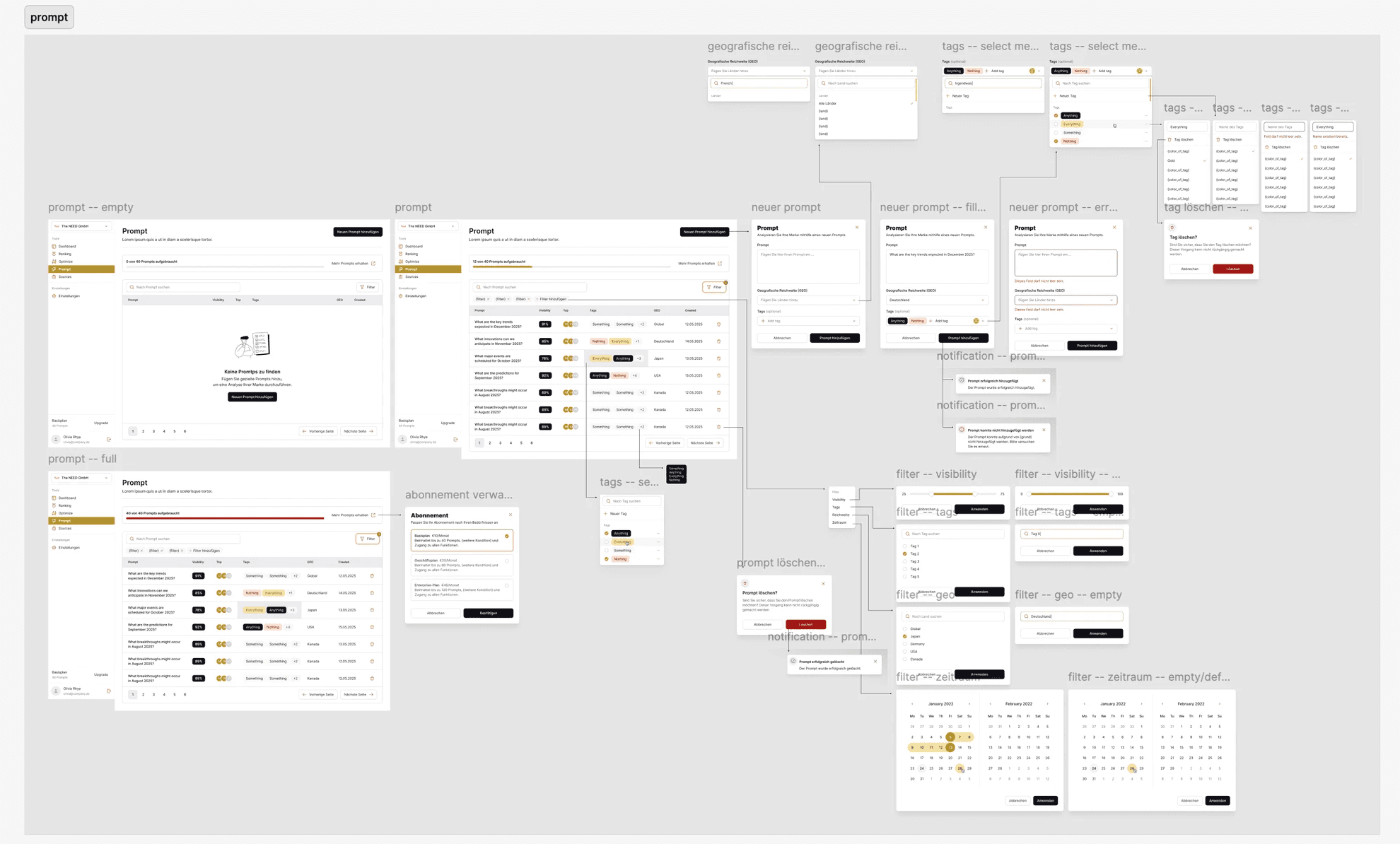
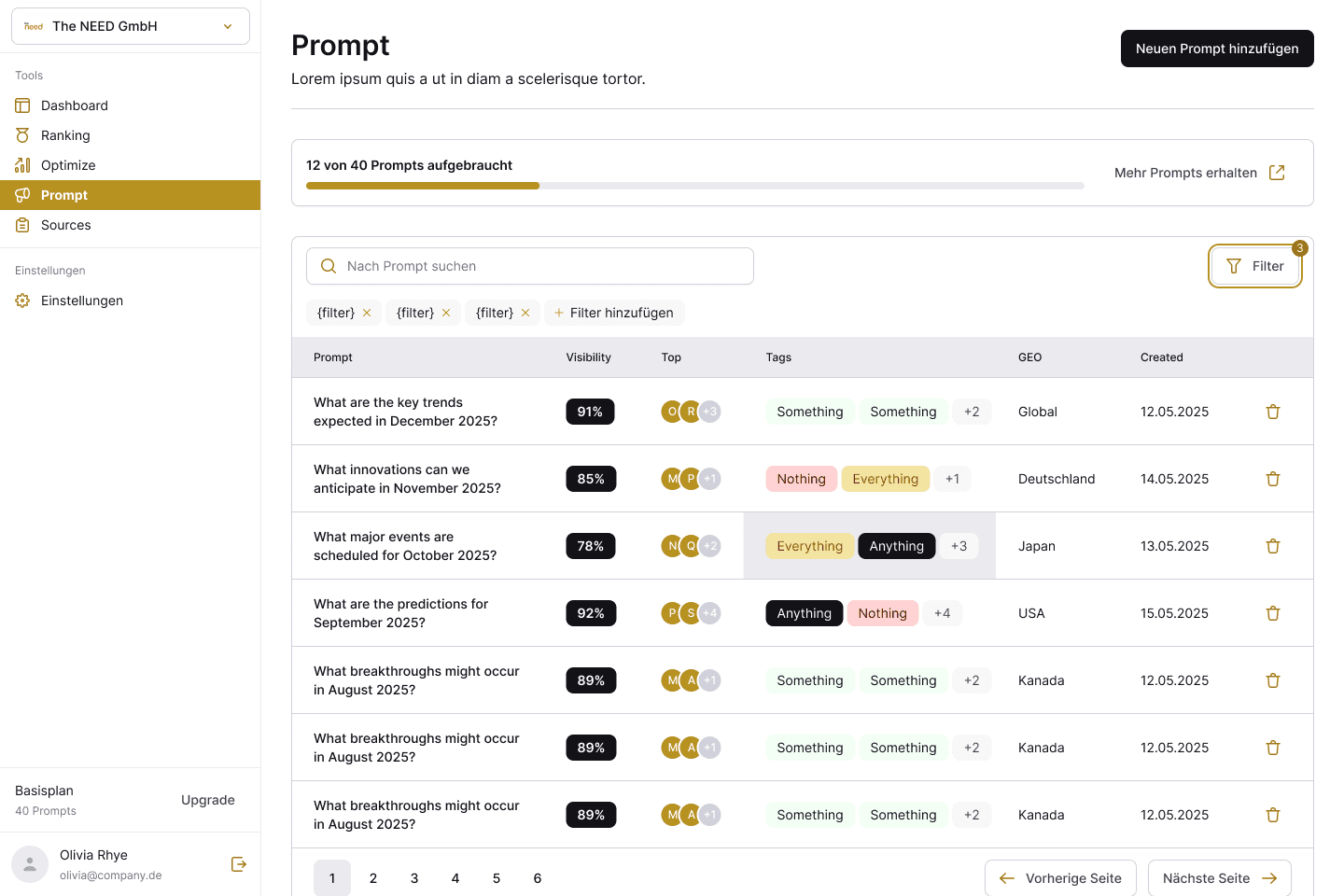
With the “Prompt” feature, users can analyze how visible a company is in a specific geographic area by using customized prompts.
Sources
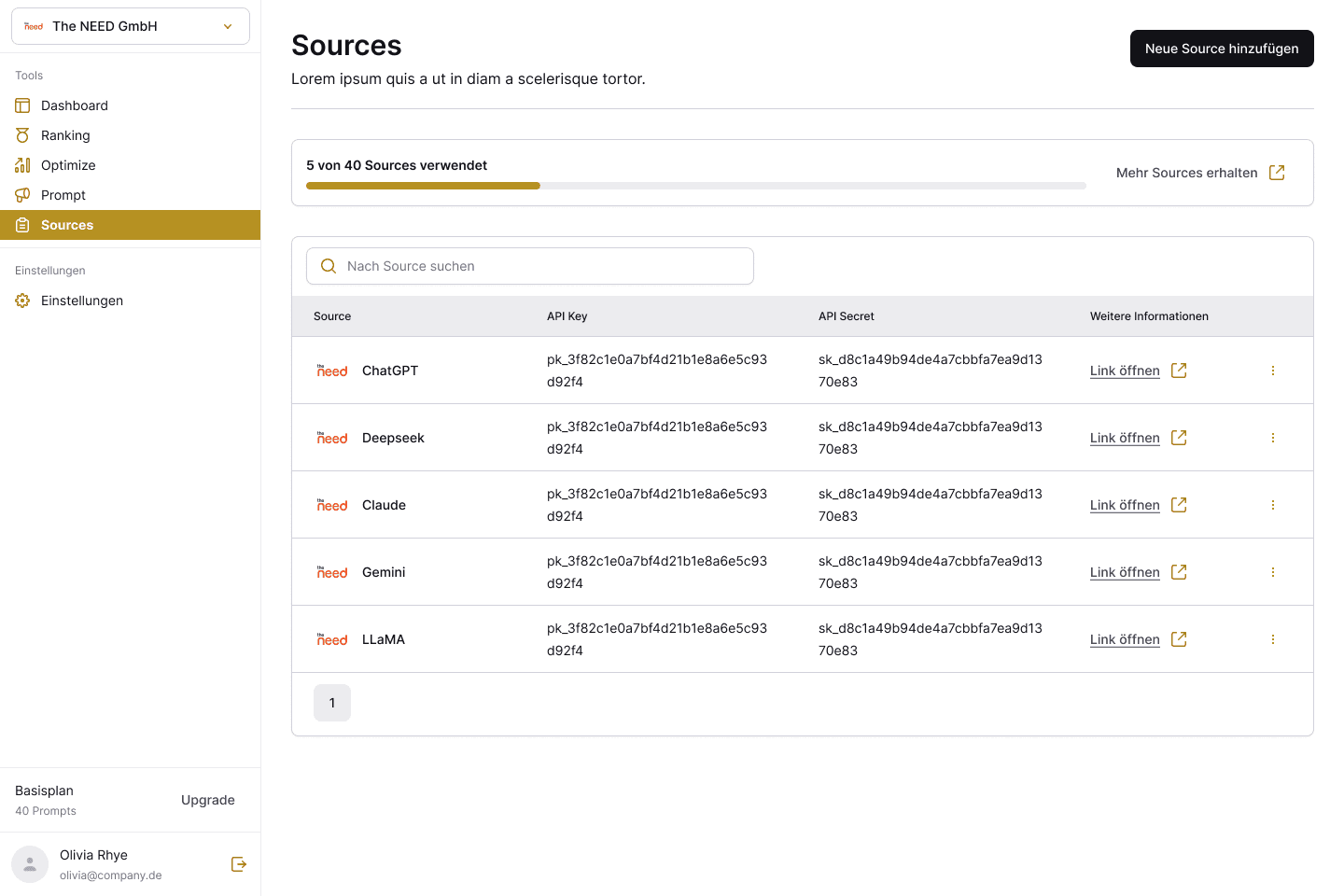
The “Sources” feature allows users to define which AI systems or data sources should be used or taken into consideration for the analysis.

Settings
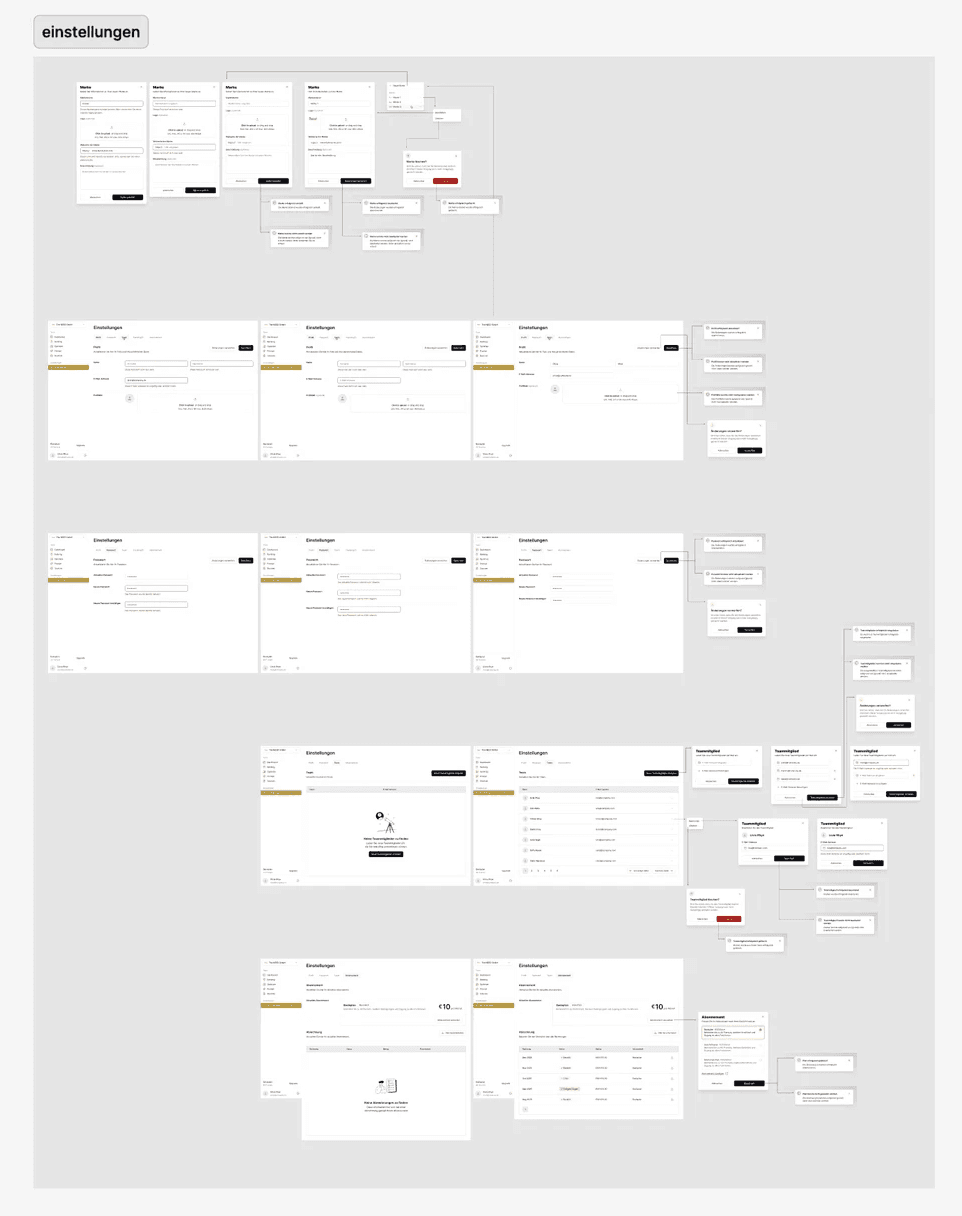
As managing settings is an essential part of most applications, I visualized this section to illustrate its structure and key user actions.

Results and takeaways
In conclusion, this project gave me valuable experience in designing data-driven interfaces while keeping the user experience simple and intuitive. Working on that project helped me better understand how to organize information and guide users effectively. It also taught me how to prepare and hand over design work so others can easily understand and build on it.
Some key takeaways from this project are:
Simplify complexity. I learned how important it is to make complex information easy to understand through clear structure and visual consistency.